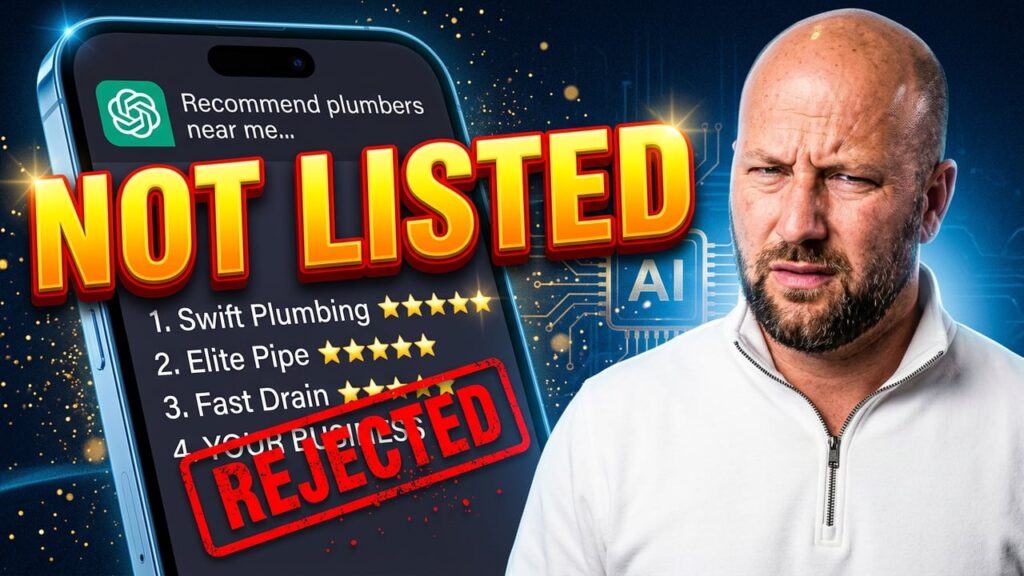
To get recommended by ChatGPT, two things have to be true. OpenAI’s search bot, called OAI-SearchBot, has to be allowed to read your website, and your reviews need to clear roughly 4 stars. Type yourwebsite.com/robots.txt, look for a “Disallow” under OAI-SearchBot, make sure nobody flipped on a “block AI bots” switch, and keep the reviews coming.
That’s the short version. I made a video walking through the whole thing (it’s right below), and this post is the full playbook with every source linked so you can check my work.
Right now, people in your town are asking ChatGPT who to call. Who’s the best plumber near me. Who’s a good insurance agent in my area. Where should I get my roof looked at.
And your website might be telling ChatGPT to take a hike.
Why Does Being Recommended by ChatGPT Matter for a Local Business?
Because almost nobody is getting picked. SOCi’s 2026 Local Visibility Index looked at more than 350,000 business locations across 2,751 multi-location brands. Google’s local map listings (the 3-Pack) showed those businesses about 35.9% of the time. ChatGPT recommended them 1.2% of the time.
That’s barely one business out of every hundred.
SOCi puts it this way: AI visibility is nearly 30 times more selective than local search. Gemini did better at 11%, but ChatGPT is the one your customers are typing into the most. Localogy covered the same report if you want a second read on it.
One fair note: SOCi sells local marketing software, so they have a reason to make this sound scary. Even if you cut their numbers in half, the gap between Google and ChatGPT is huge. You can grab the full report here.
Here’s what that means for you. On Google, you’re fighting for a spot in a list of three. On ChatGPT, you’re fighting to be the one name it says out loud. If you’re blocking it from reading your site, you’re not even in the fight. If you want to be recommended by ChatGPT, you have to let it in first.
What Are OpenAI’s 4 Bots, and Which One Decides If You Show Up?
OpenAI has a page called Overview of OpenAI Crawlers that spells out exactly how their bots read your website. And no, the secret to ChatGPT is not inside that email from the guy promising to get you ranked #1 on ChatGPT. It’s on OpenAI’s own page, for free.
OpenAI sends four different bots out to websites:
- GPTBot collects content to train OpenAI’s AI models.
- OAI-AdsBot checks your landing page if you run ads on ChatGPT.
- ChatGPT-User shows up when somebody asks ChatGPT to go look at a page for them.
- OAI-SearchBot decides whether you show up in ChatGPT search at all.
That last one is the one that matters for getting found. Here’s the sentence on OpenAI’s page every business owner needs to hear:
“Sites that are opted out of OAI-SearchBot will not be shown in ChatGPT search answers, though can still appear as navigational links.”
OpenAI, Overview of OpenAI Crawlers
Not shown. You’re just not on the list. The “navigational links” part means somebody who already knows your name might still get a link to you. The person asking ChatGPT who the best plumber in town is? They’ll never hear about you.
Can You Block AI Training and Still Get Recommended by ChatGPT?
Yes. This is the good news. Each bot is its own setting. OpenAI’s page says it plainly: “Each setting is independent of the others.”
So if you don’t want your content used to train AI, you can block GPTBot and still let the search bot in. Your robots.txt would look like this:
User-agent: GPTBot
Disallow: /

User-agent: OAI-SearchBot
Allow: /
That says: don’t train on my stuff, but please show me to people who are searching. A lot of business owners think it’s all or nothing. It isn’t. You get to pick.
Mistake #1: Is Your robots.txt File Blocking ChatGPT?
This is the most common reason a good business never gets recommended by ChatGPT. Most people who are blocking it have no idea, because they’ve never touched the back side of their website. Somebody else set it up years ago and nobody has looked since.
Here’s how to check in about two minutes. Open your browser and type your website address, then /robots.txt. So if your site is joesplumbing.com, you’d type joesplumbing.com/robots.txt. That file is a set of instructions for bots, and Google has a plain-English explainer if you want the background.
The first time I saw that file I had to Google what it was. Yes, I Googled it. Don’t tell ChatGPT. I’ll get in trouble.
You’re looking for two things. The first is OAI-SearchBot with “Disallow” under it:
User-agent: OAI-SearchBot
Disallow: /
The second is “User-agent” with a star, followed by “Disallow” with a slash:
User-agent: *
Disallow: /
Either one means the door is shut. The star means “every bot,” so that second one is blocking Google too, which is an even bigger problem.
If you see neither of those, you’re probably fine on this one. If the page comes back “not found,” that’s fine too. Under the official robots.txt standard, no file means no rules, so bots are allowed in.
Mistake #2: Did Somebody Flip a “Block AI Bots” Switch?
Then check your website settings. Some hosting companies, website builders and security plugins have a switch that says “block AI bots.”
A couple of years ago, when AI was getting a ton of hype and a ton of news coverage, everybody was saying “don’t let AI train on your website.” That was before we realized AI search was going to become a real thing. So a lot of people flipped that switch on.
Somebody, maybe your web host, your webmaster, or your nephew if that’s who built your website, flipped it on to protect you. And they locked ChatGPT out by accident.
The tools are getting smarter about this. In July, Cloudflare changed its AI crawler controls to sort bots into search, agent and training groups, and it says search crawlers stay allowed by default. Older blanket settings are the ones to worry about. If your site sits behind Cloudflare or a security plugin, ask your web person to look at exactly what’s being blocked.
How Do You Fix It So You Can Get Recommended by ChatGPT?
If you find either problem, tell your web person to allow OAI-SearchBot. The fix in robots.txt looks like this:
User-agent: OAI-SearchBot
Allow: /
And if it’s a “block AI bots” switch, have them turn it off or set it to allow search bots while still blocking training bots if that’s what you want.
OpenAI says it can take about 24 hours after you update robots.txt for their systems to adjust. So fix it today, check back tomorrow.
One more thing so nobody oversells this to you. Allowing the bot lets you show up. It doesn’t guarantee ChatGPT will recommend you. That part comes down to what ChatGPT finds when it reads you, which brings us to the next mistake.
Mistake #3: Is Your Star Rating Knocking You Out?
Now the bot can read your site. But that same study found one number that knocks a lot of businesses out before ChatGPT reads a single word.
Your star rating.
According to SOCi, “Below roughly 4 stars, many AI systems filter a location out of consideration entirely.” Businesses recommended by ChatGPT averaged 4.3 stars. Perplexity’s picks averaged 4.2, and Gemini’s 3.9.
Back in the day, getting found meant a big ad in the Yellow Pages. Did I just date myself?
Today it’s reviews. So ask every happy customer for one. The best time is right after the job, while they’re still happy. Text them the link that same day. Make it one tap. And keep them coming every month, because a pile of reviews from 2019 doesn’t help you much today.
If chasing reviews feels like one more thing on your plate, that’s exactly the kind of job you should automate. I wrote about how in business automation for small business.
How Do You Make Your Website Easy for ChatGPT to Read?
If you want to get recommended by ChatGPT, don’t make it guess. Make sure your website says, in plain English, what you do and what town you do it in.
“Plumber in Louisville.” “Insurance agent in New Jersey.” Put it in the headline at the top of your homepage, not buried in a paragraph at the bottom. A clever slogan reads great to people and tells a robot nothing. A plain one tells the robot exactly when to bring you up.
A few easy wins:
- Your homepage headline says your service and your town.
- Each main service has its own page that says what it is and where you do it.
- Your business name, address and phone number match everywhere: your site, your Google Business Profile and your social pages.
- Your Google reviews keep coming in every month.
Make it easy for the robots. If you want more on putting AI to work in your marketing, read Next-Level Marketing With AI, and if you’re still on the fence about AI at all, here is what avoiding it is costing you.
Your Homework: The 10-Minute Check to Get Recommended by ChatGPT
Here’s your homework for today. It takes about 10 minutes, and it’s the fastest way to find out if you can get recommended by ChatGPT:
- Type yourwebsite.com/robots.txt. Make sure you’re not blocking OAI-SearchBot, and that there’s no “User-agent: *” with “Disallow: /” under it.
- Ask your web host or webmaster if any “block AI bots” setting is turned on.
- Look up your Google star rating. If you’re under 4.0, start a review push this week.
- Read your homepage headline. Does it say what you do and what town you’re in?
- Open ChatGPT and ask who’s the best at what you do in your town. See if you’re on the list.
If you’re not, now you know where to start.
Want Me to Look at Your Website for Free?
If you watched the video all the way to the end, you caught the post-credits scene. If your nephew did build your website, there are probably some security concerns you should have too.
So here’s the offer. I’ll look at your website for you, free, and tell you what’s standing between you and getting recommended by ChatGPT. Send me a DM, an email, a message, or hell, send a carrier pigeon. Doesn’t matter. Or book a call with my team here. Just get a hold of me.
I’m Coach Carroll. Hustle, it’s worth it.
FAQ: Getting Recommended by ChatGPT
How do I get my business recommended by ChatGPT?
Start by letting OpenAI’s search bot, OAI-SearchBot, read your website. Check yourwebsite.com/robots.txt for a Disallow rule under OAI-SearchBot or under User-agent: *, and turn off any blanket block AI bots setting. Then build your reviews above 4 stars and make your homepage say what you do and what town you serve.
What is OAI-SearchBot?
OAI-SearchBot is the OpenAI crawler that decides whether websites can show up in ChatGPT search. OpenAI says sites that opt out of OAI-SearchBot will not be shown in ChatGPT search answers. It is separate from GPTBot, which collects content to train OpenAI’s models, so you can allow one and block the other.
How do I know if my website is blocking ChatGPT?
Type your website address followed by /robots.txt into your browser. If you see User-agent: OAI-SearchBot with Disallow: / under it, or User-agent: * with Disallow: /, you are blocking ChatGPT search. Also ask your host or webmaster whether a block AI bots switch is turned on in your security settings.
Can I block ChatGPT from training on my website but still show up in ChatGPT search?
Yes. OpenAI says each of its crawler settings is independent of the others. Block GPTBot in robots.txt to keep your content out of AI training, and allow OAI-SearchBot so your business can still appear in ChatGPT search answers. Your web person can set both in a few minutes.
How long does it take ChatGPT to see my website after I fix robots.txt?
OpenAI says it can take about 24 hours from a robots.txt update for its systems to adjust for search results. Make the fix, give it a day, then open ChatGPT and ask who is the best at what you do in your town to see whether your business shows up.
Does my Google star rating affect whether ChatGPT recommends me?
Ratings matter a lot. SOCi’s research found that below roughly 4 stars, many AI systems filter a location out of consideration entirely, and the businesses ChatGPT recommended averaged 4.3 stars. Ask every happy customer for a review right after the job, and keep new reviews coming in every month.
Will allowing OAI-SearchBot guarantee ChatGPT recommends my business?
No. Allowing OAI-SearchBot only makes your website eligible to show up in ChatGPT search. Whether ChatGPT recommends you depends on what it finds, including your reviews, your star rating and how clearly your website says what you do and where. Be wary of anyone promising a guaranteed number one spot on ChatGPT.